Disclosure: we build EasyPusher, so we have a stake in this comparison. Every Webpushr figure below comes from Webpushr's own pricing page, documentation and WordPress.org listing, checked on November 6, 2026. Webpushr is a good product with real strengths over EasyPusher, and we say so where they apply.
Key takeaways
- Webpushr is free up to 10,000 subscribers. EasyPusher is free up to 20,000 subscribers per site. Both include every feature on the free plan.
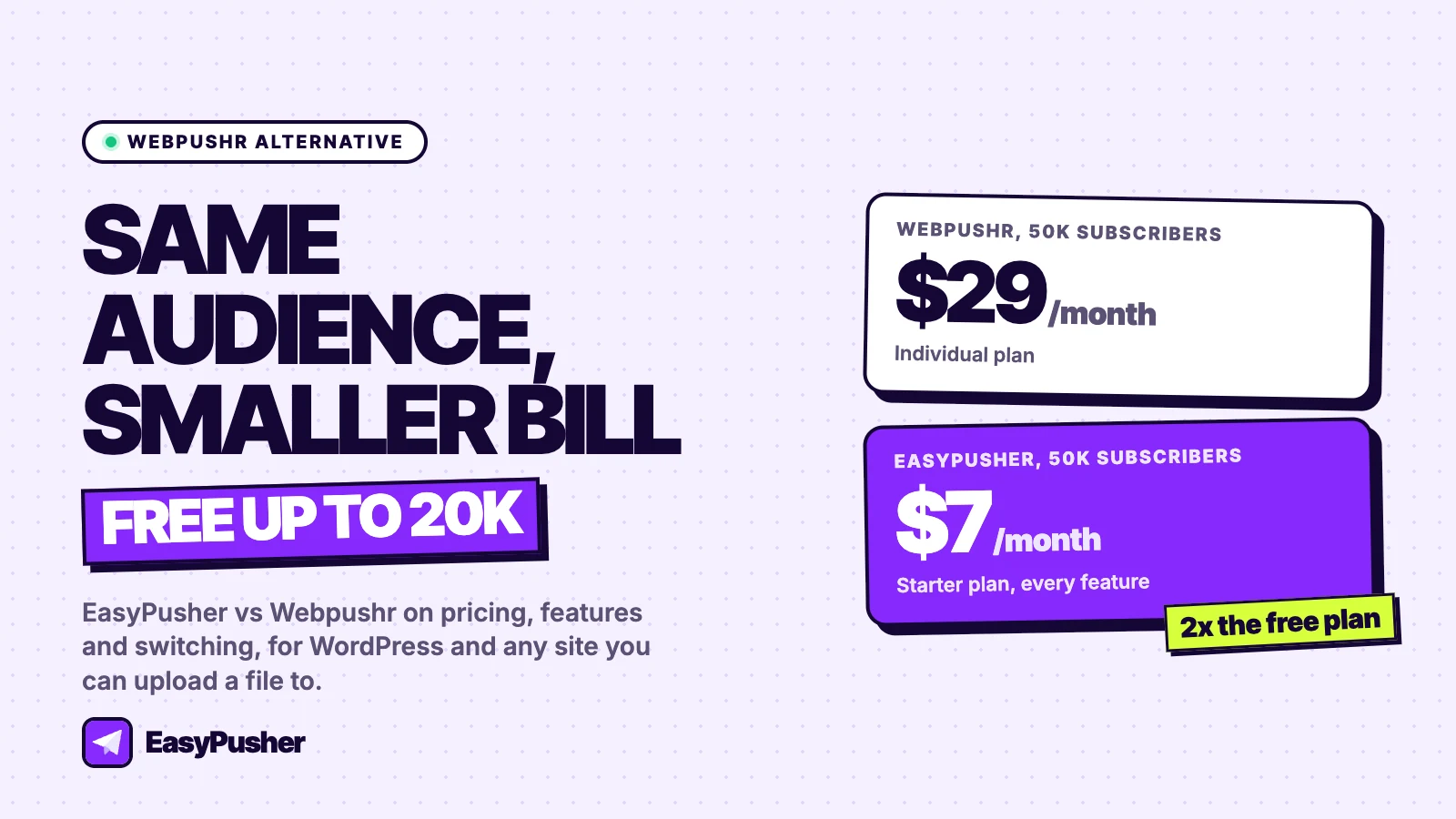
- Past the free plan, Webpushr costs $29 a month at 50,000 subscribers and $49 at 100,000. EasyPusher costs $7 and $19 for the same audiences.
- Webpushr is the better choice if you want new posts sent automatically, RSS pushes, journeys, in-browser messaging or action buttons, or if you run a site on Shopify.
- You can switch without losing returning subscribers, because notification permission belongs to your domain, not to the provider.
Why sites look for a Webpushr alternative
Webpushr is one of the better-liked push notification services for WordPress. Its plugin has more than 10,000 active installs and a 4.7-star rating from 63 reviews on WordPress.org, and its free plan has no feature restrictions. Most people who look for an alternative are not unhappy with the product. They have hit one of two points.
Outgrowing 10,000 subscribers
Webpushr's free plan lasts as long as you have fewer than 10,000 active subscribers. A growing blog can reach that within a few months, and the next step is the Individual plan at $29 a month. For a site that earns little from its content, that is a real jump from zero.
Paying for features you do not use
Webpushr bundles a lot: automatic pushes on publish, a journey builder, in-browser messaging, WooCommerce abandoned cart reminders and even website uptime monitoring. If you use them, the price is fair. If you mostly send a notification about new content or the occasional offer, you are paying for a platform when you need a sender.
Webpushr pricing vs EasyPusher pricing
Both companies bill monthly with no contract. Webpushr prices by subscriber count and lets you send unlimited notifications. EasyPusher prices each site by subscriber count and includes a monthly sending allowance.
| Subscribers | Webpushr | EasyPusher |
|---|---|---|
| Up to 10,000 | Free | Free |
| Up to 20,000 | Individual, $29/mo | Free, 200,000 notifications a month |
| Up to 50,000 | Individual, $29/mo | Starter, $7/mo, 600,000 notifications |
| Up to 100,000 | Startup, $49/mo | Growth, $19/mo, 1.5 million notifications |
| Up to 150,000 | Growth, $99/mo | Pro, $49/mo, 4 million notifications |
| Up to 200,000 | Enterprise, custom price | Pro, $49/mo |
| Up to 500,000 | Enterprise, custom price | Business, $99/mo, 12 million notifications |
| Notifications | Unlimited on every plan | Monthly allowance per plan |
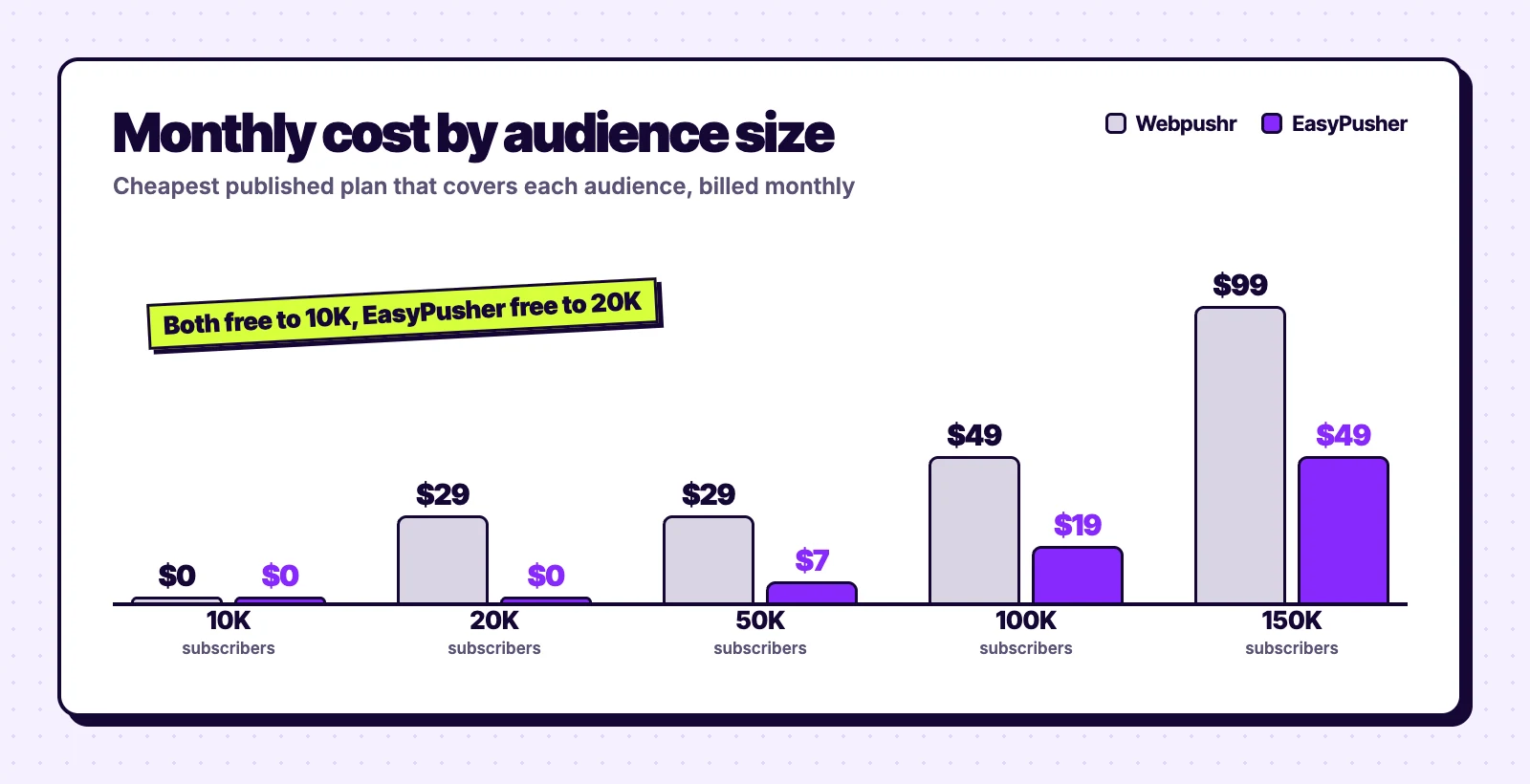
The biggest gap is between 10,000 and 20,000 subscribers, where Webpushr needs a paid plan and EasyPusher does not. From there EasyPusher costs roughly a quarter to a half of Webpushr's price at each size, and it keeps a published price up to 500,000 subscribers where Webpushr moves to custom quotes after 150,000.
Two things work in Webpushr's favour. Its notifications are unlimited, while each EasyPusher plan has a ceiling (600,000 a month on Starter is about 12 sends to every one of 50,000 subscribers). And Webpushr includes unlimited websites on every plan, while each EasyPusher site has its own plan. If you run many small sites from one account, check how Webpushr counts subscribers across them before comparing.
EasyPusher vs Webpushr: features compared
| Webpushr | EasyPusher | |
|---|---|---|
| Free plan | 10,000 subscribers, all features | 20,000 subscribers, all features |
| Auto-send new posts | Yes, in the WordPress plugin, plus RSS | No, campaigns are sent from the dashboard |
| Journeys | Journey builder | No |
| Action buttons | Yes | No |
| In-browser messaging | Bell and card formats | No |
| WooCommerce | Product, price drop and abandoned cart pushes | No store automation |
| Segments | Location, page visits, custom attributes and events | Country, browser and operating system |
| Scheduling | Yes | Yes |
| Opt-in prompts | Native and custom, adjustable timing | Native, soft modal, slide-in and bell, with delay, scroll and exit-intent triggers |
| Reporting | Delivery, clicks and an opt-in funnel | Sent, delivered, clicked and dismissed, with UTM tags on every link |
| Platforms | WordPress, Shopify, Drupal, AMP and custom sites | WordPress, or any site where you can upload a file to the root |
Feature for feature, Webpushr does more. EasyPusher deliberately does less: you write a title and message, add a link, an icon and an optional large image, pick a segment and send now or schedule. The question is whether you need the rest.
What makes EasyPusher a good Webpushr alternative
- Twice the free plan. 20,000 subscribers and 200,000 notifications a month per site, with segments, scheduling and full reporting included.
- Lower prices at every paid size. $7 a month at 50,000 subscribers, $19 at 100,000 and $49 at 200,000, billed monthly with no contract.
- A plugin built to survive caching plugins. EasyPusher excludes its snippet from the JavaScript delay and combine features of LiteSpeed Cache, WP Rocket and Autoptimize, so the prompt appears on time, and it restores the
ep-sw.jsservice worker if the file goes missing. - A light script. About 15 KB, loaded asynchronously from Cloudflare's CDN, with no database queries added to your front-end pages.
- Minimal subscriber data. For each subscriber EasyPusher stores only the push endpoint and keys, browser, operating system, country and when they were last seen. No names or email addresses.
Setup: Webpushr vs EasyPusher on WordPress
Both are cloud services with an official WordPress plugin, and both need an account. With Webpushr you connect the plugin to your Webpushr account, choose your prompt and turn on auto-push for new posts if you want it; segments and advanced analytics live in the Webpushr web console. With EasyPusher you add your site in the EasyPusher dashboard, paste its API key into the plugin and pick a prompt style. Campaigns are written in the dashboard, and subscriber stats also show on a Stats page in WordPress.
Outside WordPress, EasyPusher needs a one-line snippet and a two-line ep-sw.js file uploaded to your site root. That rules out hosted platforms such as Shopify and Webflow; Webpushr lists Shopify among its integrations. Webpushr also supports sites still on plain HTTP by creating an HTTPS subdomain for them; EasyPusher requires HTTPS.
How to switch from Webpushr to EasyPusher
You cannot export push subscriptions from Webpushr, and Webpushr's own migration documentation says the same about every provider. You do not need to. Notification permission belongs to your domain, so when a subscriber who already allowed notifications returns to your site, EasyPusher subscribes them again in the background without a prompt.
- Create a free EasyPusher account, add your site and copy its API key.
- Deactivate the Webpushr plugin and install EasyPusher in the same sitting. On a non-WordPress site, remove Webpushr's script and service worker file from the root. Only one push service worker can control your site, so the two must not run together.
- Keep your Webpushr account for about 30 days so you can still reach subscribers who have not visited since the switch.
- Downgrade or cancel Webpushr once the EasyPusher subscriber count has levelled off.
Two groups cannot move silently. If your site used Webpushr's HTTPS subdomain because it was on HTTP, those subscribers gave permission to that subdomain, not to your domain, and must opt in again once your site is on HTTPS. The same applies to anyone subscribed through Safari's older push system. Our push notification migration guide covers these cases in detail.
When Webpushr is the better choice
Choose EasyPusher if
- You have, or expect, more than 10,000 subscribers
- You want the lowest published price at 20,000 to 500,000 subscribers
- You write and schedule each notification yourself
- You want a light plugin that works with caching plugins
Choose Webpushr if
- You want every new post sent as a notification automatically
- You use journeys, action buttons or in-browser messages
- You run a WooCommerce or Shopify store and want cart reminders
- You send very often, or run many sites from one account
For a wider view of the options, see our roundup of the best WordPress push notification plugins, or the OneSignal comparison if you need more channels than web push.
Our verdict
Webpushr is a strong, fairly priced product, and under 10,000 subscribers with auto-push on publish it is hard to beat. Its weak spot is the step up: $29 a month as soon as you pass 10,000 subscribers, rising to $99 at 150,000.
If you write your own notifications and want a bigger free plan with lower prices after it, EasyPusher is the better fit. If hands-off automation is the reason you use push, stay with Webpushr.
Frequently asked questions
How much does Webpushr cost?
According to webpushr.com/pricing on November 6, 2026, Webpushr is free up to 10,000 subscribers, then $29 a month for Individual (up to 50,000), $49 for Startup (up to 100,000) and $99 for Growth (up to 150,000). Above 150,000 subscribers it quotes custom Enterprise pricing. Notifications are unlimited on every plan.
Is Webpushr free?
Yes, up to 10,000 active subscribers, with no time limit and no credit card. Webpushr says all features are included on all plans, including unlimited websites, team members, segments and API access. EasyPusher's free plan covers 20,000 subscribers per site, also with every feature.
What is the best Webpushr alternative?
If you mainly want a larger free plan and lower prices, EasyPusher is free up to 20,000 subscribers and costs $7 a month for 50,000 against Webpushr's $29. If you need automatic notifications on publish, journeys or in-browser messaging, Webpushr already does those and OneSignal or PushEngage are the closer alternatives.
Does Webpushr send notifications automatically for new posts?
Yes. Webpushr's WordPress plugin can send a notification automatically when you publish a post, and it also supports RSS-triggered pushes. EasyPusher does not do this yet: campaigns are written and scheduled in the EasyPusher dashboard.
Can I move my Webpushr subscribers to EasyPusher?
Push subscriptions cannot be exported from any provider, but notification permission belongs to your domain. When a subscriber who allowed notifications returns to your site, EasyPusher re-subscribes them in the background without a prompt. Subscribers collected on Webpushr's HTTPS subdomain for a non-HTTPS site have to opt in again.
Can I run Webpushr and EasyPusher at the same time?
No. Only one push service worker can control your site, so two providers on the same pages keep replacing each other. Remove Webpushr when you install EasyPusher, and keep the Webpushr account for about a month to reach subscribers who have not returned yet.
Try EasyPusher free
Up to 20,000 subscribers per site with every feature included. No credit card required.
Start free