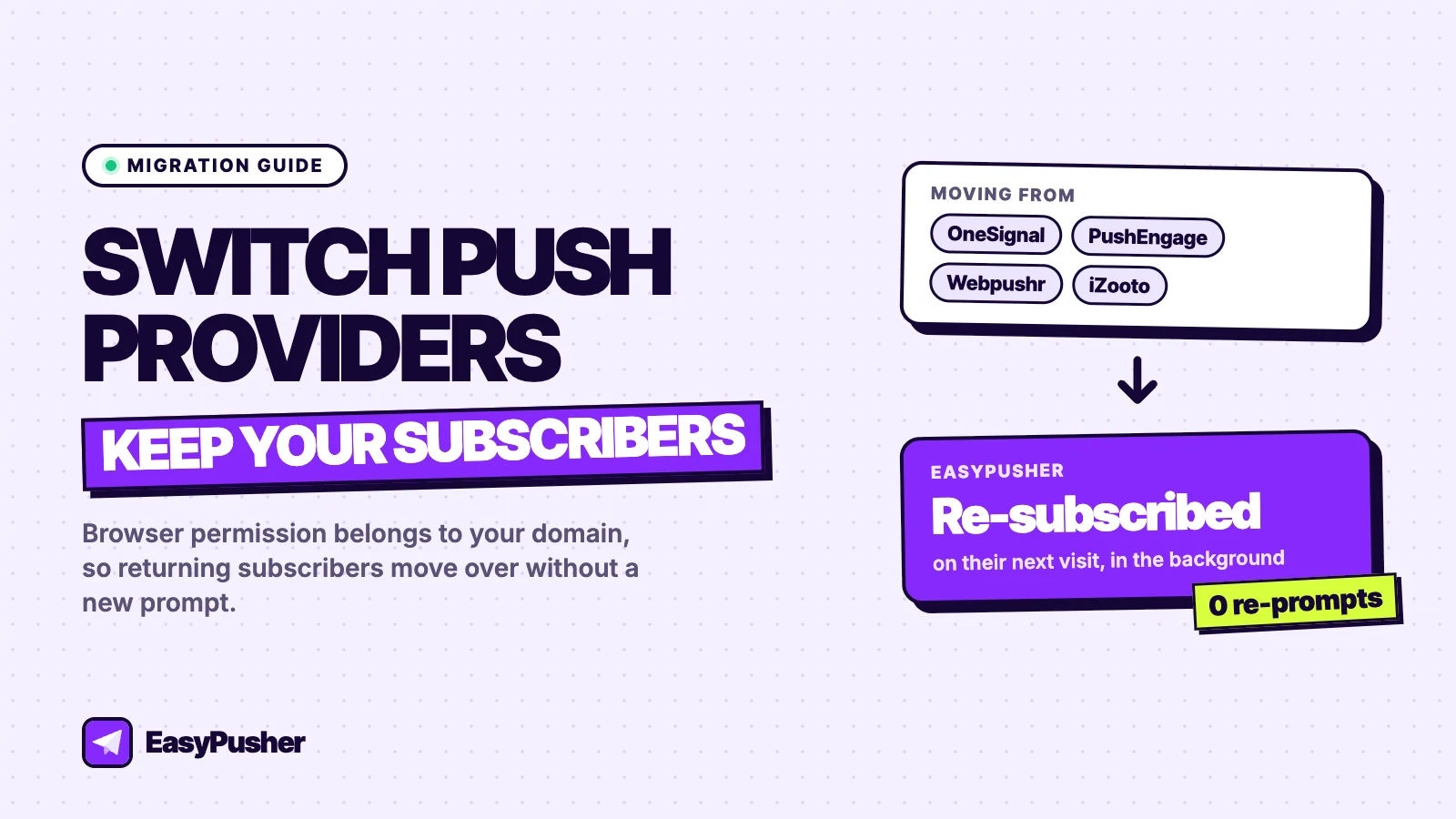
Disclosure: we build EasyPusher, and this guide uses it as the destination. The mechanics it explains, browser permission and service worker scope, apply to any push provider, and we point out the cases where a silent move is not possible.
Key takeaways
- You cannot export push subscriptions from OneSignal, PushEngage, Webpushr or any other provider, but you do not need to.
- Notification permission belongs to your domain. When a subscriber returns, EasyPusher re-subscribes them in the background with no new prompt.
- Only one push service worker can control your site root, so remove the old provider's code when you install EasyPusher. Do not run both.
- Keep the old account for about 30 days so you can still reach subscribers who have not been back yet, then cancel.
Why you can switch push providers without losing subscribers
Most advice about changing push notification providers ends the same way: subscriptions belong to the old provider, so you will have to build your list again from zero. Half of that is true. A push subscription is tied to the provider's server key, so it cannot be exported and imported somewhere else. But a subscription is not the hard part to get. The hard part is the visitor clicking "Allow", and that decision is not stored with the provider.
When someone allows notifications, the browser records the permission against your site's origin, for example https://yoursite.com. From then on, any service worker running on that origin can ask the browser for a new push subscription, and the browser grants it without showing a prompt, because the visitor already said yes to your site. Chrome, Edge, Firefox, Opera and Safari 16 and later all work this way; it is how the Push API is designed.
EasyPusher is built to use this. On every page view it checks whether the visitor has already granted permission. If they have and the browser holds a subscription made with another provider's key, EasyPusher replaces it with one tied to your site's EasyPusher key and saves it. The visitor sees nothing. From that moment they receive your EasyPusher campaigns.
Before you start: check how your current provider was installed
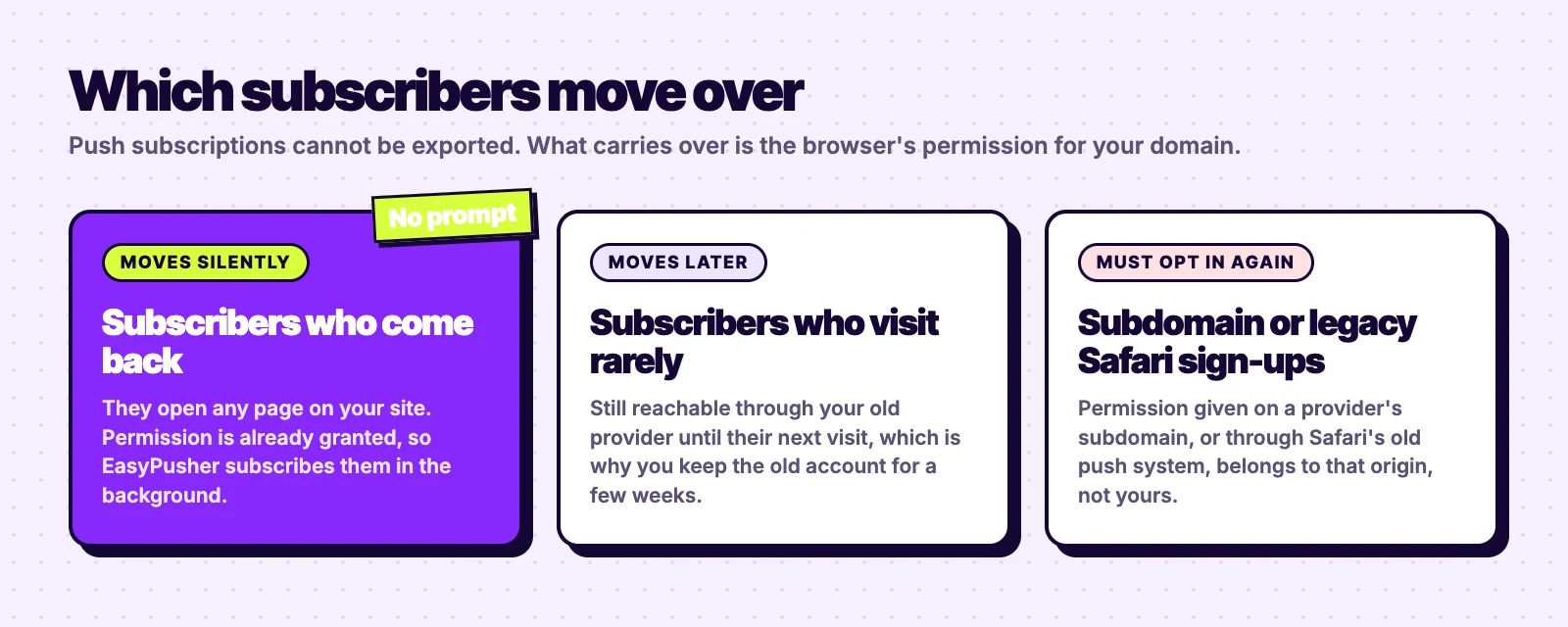
Two set-ups break the silent move, and it is worth checking for them first because they change what you should expect.
Subscribers collected on a provider's subdomain
Some providers used to offer a mode for sites without HTTPS, where the opt-in happened in a pop-up window on the provider's own subdomain, such as yoursite.os.tc or yoursite.webpushr.com. Permission given there belongs to that subdomain, not to your domain, so EasyPusher cannot reuse it. Those subscribers have to opt in again. If your site has always used HTTPS and the prompt appeared on your own pages, this does not apply to you.
Legacy Safari push on older Macs
Before Safari 16, Safari on macOS used Apple's own push system rather than the standard Push API. Subscribers collected that way cannot be moved to a standard web push service. On current macOS versions Safari uses the standard system, and on iPhone and iPad, web push works only for sites added to the home screen, on iOS 16.4 and later.
How to migrate push notifications to EasyPusher, step by step
Step 1: Create your EasyPusher site
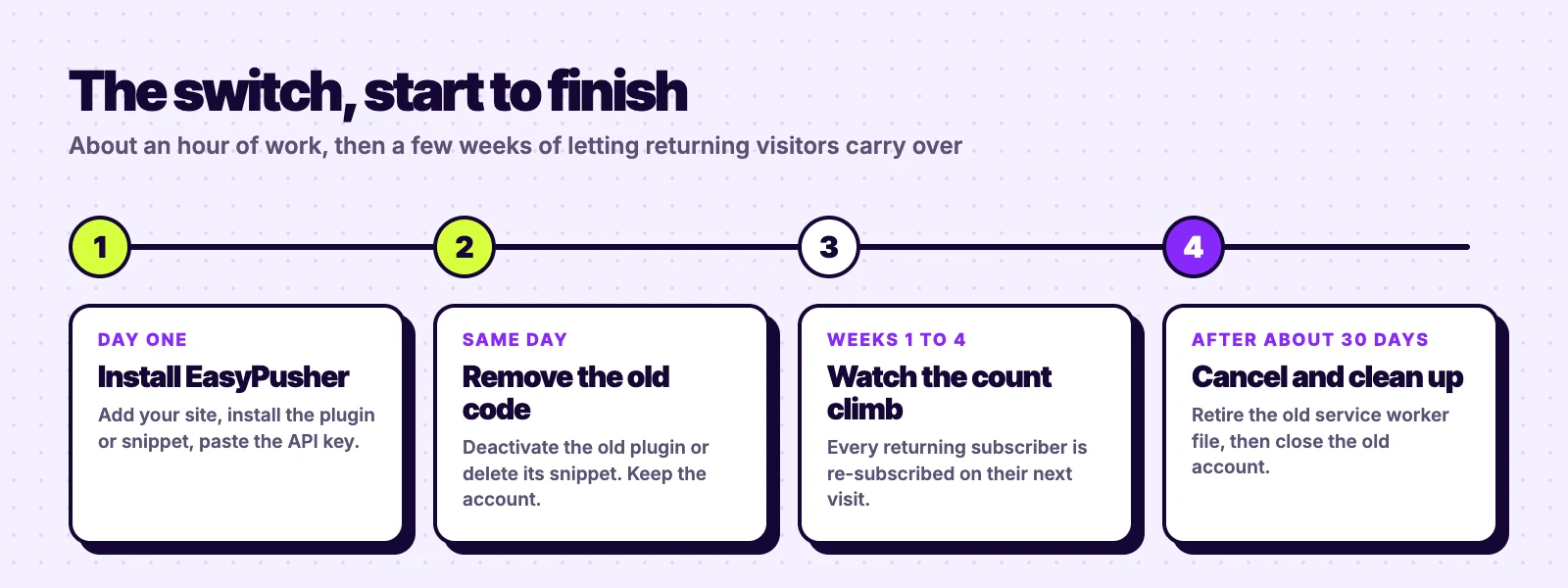
Sign up for a free account, add your site's domain, and choose an opt-in prompt for new visitors: the browser's own dialog, a soft modal, a slide-in or a floating bell, shown immediately, after a delay, after the visitor scrolls, or on exit intent. The free plan covers up to 20,000 subscribers per site and 200,000 notifications a month.
Step 2: Install EasyPusher and remove the old provider in the same change
This is the step most guides get wrong. A browser allows only one service worker to control a given scope, and push providers register theirs at the root of your site. If the old provider's script keeps running, it re-registers its own worker on each page view and undoes EasyPusher's, and subscribers keep bouncing between the two. So swap them in one go.
- WordPress: deactivate the old provider's plugin (OneSignal, PushEngage, Webpushr, iZooto and so on), then install EasyPusher from Plugins → Add New, paste your API key in EasyPusher → Settings and save. The plugin writes and serves the
ep-sw.jsservice worker for you. - Any other site with access to the root folder: delete the old provider's snippet from your pages, paste EasyPusher's one-line snippet before
</body>, and upload the two-lineep-sw.jsfile to your site root. Your site's setup page in the dashboard has both. Website builders that do not let you upload a file to the root, such as Shopify and Webflow, cannot host a push service worker, so they are not supported.
Removing the old code does not cut off your old subscribers. Their browsers keep the old provider's service worker until they visit again, so the old provider can still deliver to them in the meantime.
Step 3: Let returning subscribers carry over
Open the Subscribers view in the EasyPusher dashboard over the next few days. The count rises as your existing audience opens pages on your site and is re-subscribed in the background, on top of the new visitors who opt in through your prompt. Subscribers who visit daily move within a day or two; people who come back once a month take a month. How quickly your list rebuilds depends entirely on how often your audience returns.
During this period, send new campaigns from EasyPusher. If you also send the same message from the old provider to reach people who have not moved yet, some subscribers may receive it twice, so save the old account for announcements you cannot afford to miss.
Step 4: Cancel the old provider after about 30 days
Once the EasyPusher subscriber count has levelled off, cancel the old plan. Anyone who has not visited in that time is unlikely to be reading your notifications anyway.
Step 5: Retire the old service worker file
For browsers that have not been back, the old worker stays installed. If the old provider used its own scope rather than your site root, it can also sit alongside EasyPusher's. To remove it cleanly, replace the file at the old worker's path (for example OneSignalSDKWorker.js or the file inside the old plugin's folder) with this, rather than deleting it:
self.addEventListener("install", () => self.skipWaiting());
self.addEventListener("activate", () => self.registration.unregister());
The next time a browser checks the old worker for updates, it installs this version, which removes itself. After a few weeks you can delete the file. If you already deleted the old plugin, create the file again at its old path; a redirect will not work, because browsers refuse to load a service worker through one.
Provider-specific notes
| Moving from | What to remove, and what to watch for |
|---|---|
| OneSignal | The OneSignal plugin, or the SDK snippet and OneSignalSDKWorker.js. Very old sites set up in OneSignal's HTTP mode collected subscribers on an os.tc subdomain, and those must opt in again. |
| PushEngage | The PushEngage plugin, or its snippet and service worker file. Also check for opt-in widgets added through a page builder. |
| Webpushr | The Webpushr plugin, or its snippet and webpushr-sw.js. Sign-ups made on a webpushr.com subdomain must opt in again. |
| iZooto, WonderPush, Push Monkey and others | The vendor's plugin, snippet and worker file. The same rules apply: one root worker, and permission tied to the origin it was given on. |
If you are still choosing where to move, our comparisons of OneSignal and PushEngage cover pricing and features in detail.
After the move: what changes and what does not
Your key stays the same for good
EasyPusher creates one VAPID key pair for each site when you add it and never changes it. Browsers tie every subscription to that key, so if a provider ever replaced it, every subscriber would silently stop receiving notifications. Keeping it fixed means the list you rebuild now keeps working.
How you send campaigns
With EasyPusher you write campaigns in the dashboard: a title, a message, a click URL, an icon and an optional large image, sent to everyone or to a segment by country, browser or operating system, either now or at a scheduled time. If your old provider sent a notification automatically each time you published a WordPress post, note that EasyPusher does not do that yet.
How you measure results
Each campaign reports notifications sent, delivered, clicked and dismissed, and every link carries UTM tags so push traffic appears as its own source in Google Analytics. Compare a few weeks of EasyPusher campaigns with what your old provider reported before judging the switch, since providers count clicks and deliveries differently.
The short version
Install EasyPusher and remove the old provider in the same change, keep the old account for about a month, then retire the old worker file. Subscribers who come back move over on their own, with no export, no import and no second prompt.
The only people you lose are those who signed up on a provider's subdomain or through legacy Safari push, and those who never return, and a switch of any kind would not have kept them either.
Frequently asked questions
Can I export my push notification subscribers from OneSignal or PushEngage?
No. A push subscription is tied to the server key of the provider that created it, so no provider can hand it to another. You do not need to: browser permission belongs to your domain, so EasyPusher can re-subscribe returning visitors without a prompt.
Will my subscribers see a new permission prompt after I switch?
Not if they allowed notifications on your own domain. When they return, the browser already holds their permission, and EasyPusher creates a new subscription in the background. Only subscribers who signed up on a provider's subdomain, or through legacy Safari push on older Macs, need to opt in again.
Can I run my old push provider and EasyPusher at the same time?
No. A browser lets only one service worker control your site root, so two push providers on the same pages keep replacing each other. Remove the old provider's plugin or snippet when you install EasyPusher. Its existing subscribers stay reachable through the old account until they visit again.
How long does a push notification migration take?
The set-up takes about an hour. Subscribers then move as they return to your site, so frequent visitors carry over within days and occasional ones within a few weeks. Keep the old account for about 30 days before cancelling.
What happens to subscribers who never come back?
They stay with your old provider until it is cancelled, then stop receiving notifications. Since they have not visited your site in a month or more, they are rarely the subscribers who click.
Do I need to move my VAPID keys?
No. EasyPusher creates a VAPID key pair for your site when you add it and never changes it. Returning subscribers are subscribed with that key, which is why nothing has to be copied from your old provider.
Start your migration on the free plan
Up to 20,000 subscribers per site with every feature included. No credit card required.
Start free